
Grow your stack: Buy, sell, and auto stack from your new bitcoin screen
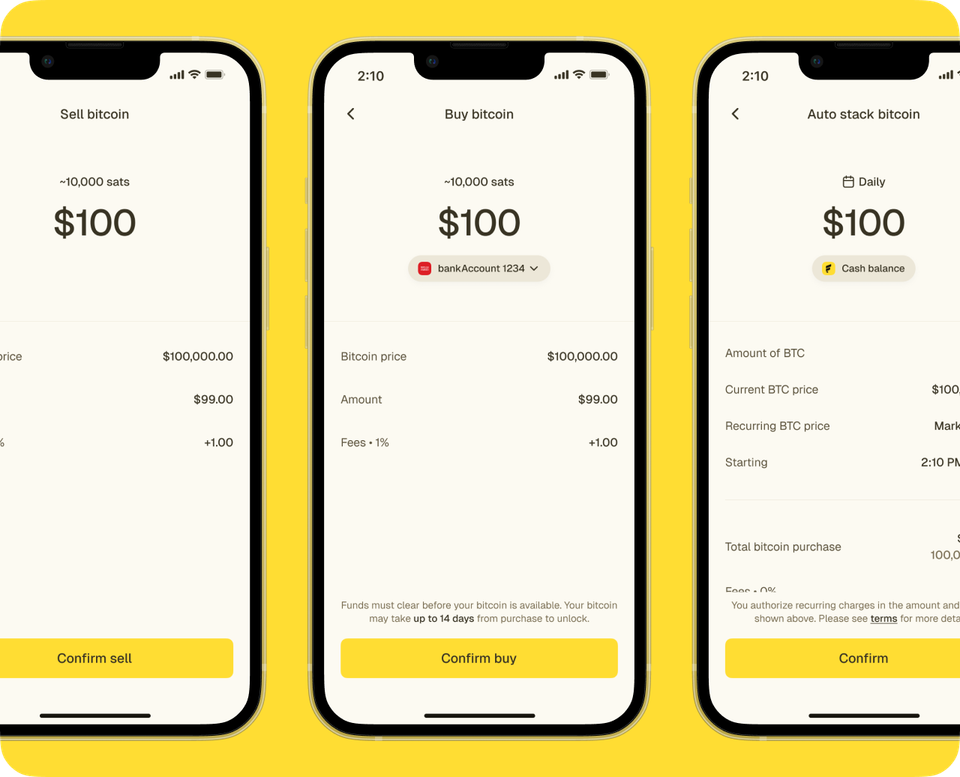
Your new bitcoin screen is built as a command center for your stack: balances, actions, rewards, auto stack tools, and history all live together. Instead of switching between multiple parts of the app to manage bitcoin, you can now buy, sell, send, receive, and track rewards from a single view.
Core actions in one tap
With one click off the home screen you can buy, sell, send, and receive bitcoin with a push of a button. Each action opens a guided flow that keeps you on the same page, so you always know where you are in the process.
How to buy bitcoin in the new app
How to sell bitcoin in the new app
Having these controls side by side helps you move quickly when markets shift or when you need to send or receive bitcoin. The walkthrough videos above show you how these flows work end‑to‑end using small example amounts.
Rewards in your bitcoin center
Rewards now live directly in your bitcoin center, under a clear rewards section that shows both dollar value and sats. From here you can see how many sats are available, review recent reward credits, and redeem them into your stack.
This design connects everyday earning behavior to the long‑term stack visible at the top of the screen. When combined with auto‑stack tools, rewards can become a consistent source of incremental bitcoin accumulation.
Auto‑stack with recurring purchases and direct‑to‑bitcoin
Under “Grow your stack,” you will find tools like Auto stack and direct‑to‑bitcoin deposits. Auto stack lets you schedule a set dollar amount to convert into bitcoin at a frequency of your choosing, creating a dollar‑cost‑averaging pattern over time.
Direct‑to‑bitcoin allows eligible deposits to move into bitcoin without extra steps, helping automate part of your stacking strategy. These tools are designed to make building a position more systematic, which many long‑term holders prefer.
All your bitcoin history in one place
Below your stack tools is a transaction section that shows buys, sells, redemptions, and other bitcoin activity on a single screen. You can tap into individual entries for more detail, or select “See all transactions” for a broader history view.
Having this history next to your actions and balance makes it simpler to answer questions like when you last bought, how a redemption was applied, or what changed after a market move. This can be particularly useful for personal records or when you are preparing information for tax‑related tools.