How to use gift cards to stack sats
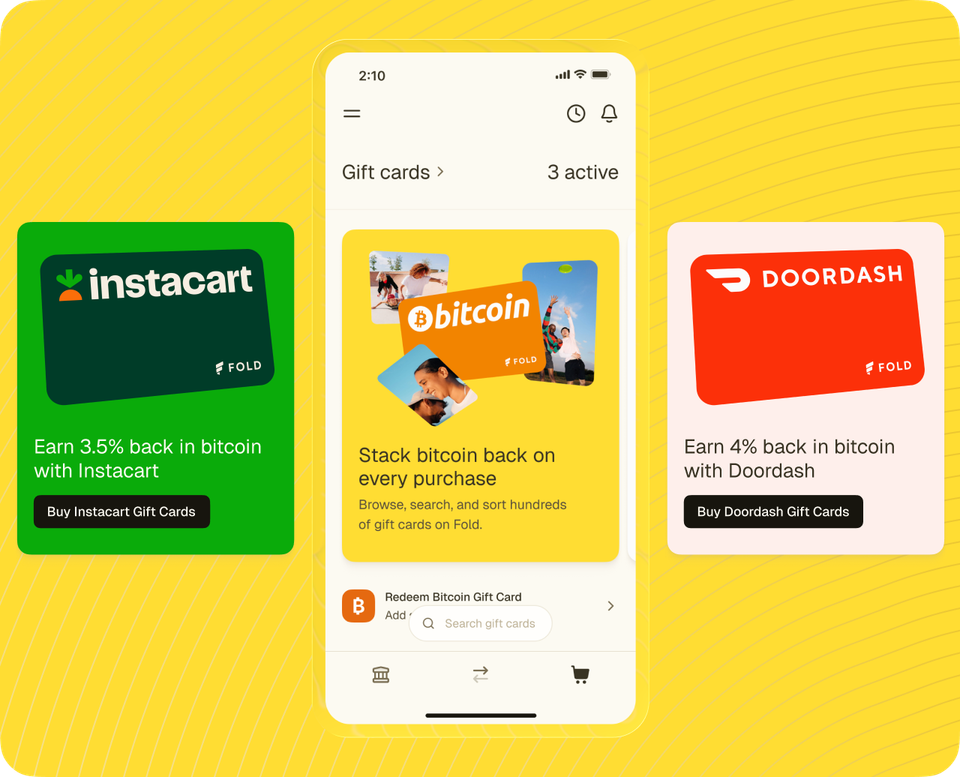
Most people think of gift cards as a last-minute present or a way to give someone a choice. But inside the Fold app, gift cards are one of the most effective tools for earning bitcoin on purchases you were already going to make. The concept is simple: buy a gift card for a store you already shop at, earn bitcoin back at the moment of purchase, then use the card like normal.
Here's a step-by-step breakdown of how it works, with examples and a few tips for getting the most out of every purchase.
How it works, step by step
- Open the Fold app and tap the Shop tab.
- Browse by category or search for a specific brand.
- Select the brand and choose the amount you want to load onto the card.
- Complete the purchase. Your bitcoin reward is credited to your account automatically.
- Use the gift card at checkout as you normally would. The card delivers digitally, usually within seconds.
That's the whole process. The bitcoin goes into your Fold balance. The gift card goes in your wallet or saved to your phone. There are no extra steps at checkout and nothing to redeem later.
What this looks like in real life
Here are a few ways Fold customers use the gift card marketplace to stack sats on everyday spending:
- Groceries: Buy an Instacart, Kroger, or grocery chain gift card before you shop. Earn bitcoin on the full amount, then use the card on your weekly grocery order.
- Travel: Book a trip with a Southwest, Delta, or Airbnb gift card. The bitcoin reward comes through on the gift card purchase, and you use the card to pay for your booking as usual.
- Dining: Pick up a Chipotle, DoorDash, or Cheesecake Factory card before your next meal out or delivery order. Earn bitcoin on the full card amount.
- Home improvement: A Home Depot or Lowe's card before your next project means every dollar of materials earns bitcoin automatically.
- Back to school: Staples, Office Depot, Best Buy, and clothing retailers are all in the marketplace. Load up before the school shopping run and earn bitcoin on the full haul.
Tips for getting the most out of the gift card marketplace
Check the boosted tab first. Fold runs boosted promotions regularly on specific gift card categories. During a boost window, the bitcoin back rate goes higher than usual. Checking the boosted tab before you buy takes about 10 seconds and can make a meaningful difference in what you earn.
Buy before you shop, not after. The bitcoin reward is earned at the moment you buy the gift card, not when you spend it. That means you earn on the full amount you load, regardless of what you end up buying. Get in the habit of picking up the gift card first, then heading to the store or shopping online.
Favorite the brands you buy most. The Shop tab lets you save brands to a favorites list so they're always one tap away. If you buy the same few brands every week, favoriting them saves you time on every trip.
Load what you plan to spend. You earn bitcoin on the full amount you load onto the card. If you know you'll spend around $100 at a store this week, load that amount and earn bitcoin on the whole thing upfront.
Frequently asked questions
Can I use gift cards the same way I'd normally use them?
Yes. Gift cards bought through Fold work exactly like gift cards purchased anywhere else. You get a digital code, barcode, or link you can use at checkout, in-store or online.
When does the bitcoin show up in my account?
The bitcoin reward is credited automatically at the time of purchase. You don't need to wait until you spend the gift card or take any additional action.
How many brands are in the marketplace?
Hundreds. The marketplace spans groceries, dining, travel, retail, home improvement, electronics, entertainment, and more. You can browse by category or search for a specific brand in the app.
Ready to try it?
Open the Fold app and explore the gift card marketplace. Find the brands you already shop at, check the boosted tab for higher-earning options, and start turning everyday purchases into automatic bitcoin rewards.